No-code electronic form: efficiency for companies with field operations
23 Jan 2026



For companies operating in the field, achieving high levels of efficiency and competitiveness is an additional challenge, as digitizing processes becomes even more relevant. In this scenario, the electronic form becomes an essential tool to collect accurate information, reduce errors and speed up decision making directly from the workplace.
Within the wide range of digital forms solutions, the no-code forms are the no-code forms forms stand out for allowing their creation and management without the need of programming knowledge.
In this article we explain how no-code electronic forms become a strategic ally and how FIELDEAS Forms facilitates this transition.
Companies with field teams face very specific problems:
These obstacles have a direct impact on productivity, costs and the ability to respond to incidents. Fortunately, there are practical and easy-to-implement solutions such as electronic forms that overcome these problems without major technological developments.
An electronic form is the digital version of a traditional form, accessible from any device: mobile, tablet or computer.
When we talk about no-code platforms, we are referring to tools that allow you to create, customize and deploy forms without writing code. This gives business teams the autonomy to adjust processes according to their needs, without depending on IT or external providers.
With FIELDEAS Forms, designing a form is as simple as designing a form:
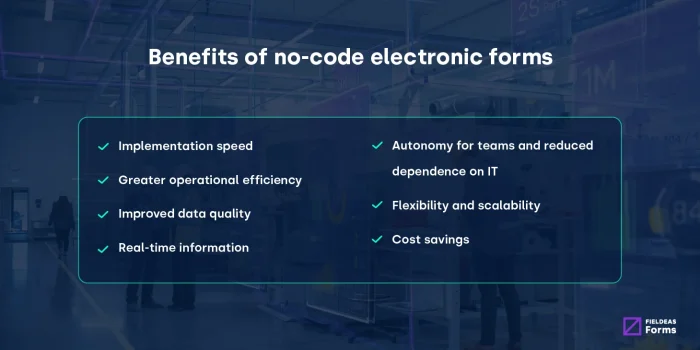
Implementing no-code digital forms is often the first step towards a comprehensive digitization. Its benefits include:
By allowing teams to participate in the creation and improvement of forms, adoption is facilitated and resistance to change, a common obstacle in technology projects, is reduced.
Adopting no-code digital forms generates immediate benefits, focused on simplicity for end users, without the need for technical knowledge. Among them:
While traditional development can take weeks, no-code forms allow you to go from idea to action in a very short time, facilitating rapid response to regulatory changes or operational needs.
By recording information directly in the system, duplication and transcription tasks are eliminated, reducing administrative time and errors.
Electronic forms allow automatic validations and mandatory fields, ensuring more accurate information.
Decision makers can access information instantly, speeding up decision making.
Users can create and modify forms without waiting for the technical area, streamlining processes and empowering operational teams.
The forms adapt easily to changes in processes, regulations or business needs, evolving at the pace of the actual operation.
Less paper, fewer errors and streamlined processes translate into a clear and tangible return on investment.
The electronic form is useful in multiple industries and departments. Some examples:
Having a standardized digital form makes it possible to react in time to any eventuality.
Not all tools are the same and many of them remain general without taking into account the specific needs of each organization.
In this sense, FIELDEAS Forms was created to meet the needs of companies with field operations, combining ease of use and functional power:
The result is a solution that digitizes forms and processes, putting technology at the service of the user and not the other way around.
Let’s imagine a maintenance company that digitizes its intervention reports. In the past, technicians completed paper sheets, with delays and errors.
With FIELDEAS Forms the process is as follows:
The person in charge designs the “Intervention report” form by dragging fields such as:
All without programming and without relying on IT.
The form is available to field technicians, who can access it by smartphone, tablet or laptop, without the need to install complex tools or perform additional development.
The technician opens the form, completes the data, attaches photos and collects the digital signature.
If there is no connection, the form works offline and synchronizes automatically when coverage is restored.
With one click, the data is stored in the system, accessible in real time and without manual transcriptions.
Thanks to the rules configured in FIELDEAS Forms, the shipment can be triggered:
With all the information centralized, the company can measure times, detect recurring incidents, evaluate productivity and adjust processes in an agile manner.
And if tomorrow the procedure changes, the person in charge only has to edit the form with drag & drop and publish the new version in a matter of minutes.

Marketing Manager at FIELDEAS


13 Feb 2025
Digital versus paper forms: which is better for your company?

12 Sep 2025
Digital forms in automotive: digitization of processes and added value in the industry

31 Oct 2025
How digital forms drive sustainability in industry

14 Nov 2025
Smart and collaborative forms: optimize your business efficiency